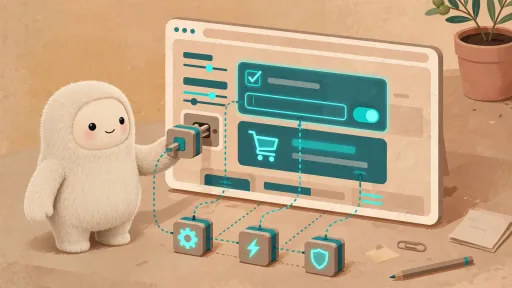
Right now, when an AI agent uses a website, it pretends to be you: screenshots, reading the page, clicking around until it finds the right button. It works, but it's slow and brittle. WebMCP is a different deal. The site tells the agent what it can do, and the agent calls them directly.
Here's what WebMCP is, how the AI SDK and UI SDK use it, and where the safety catches are.
What we cover
- What WebMCP is
- What the AI SDK just added
- What shadcn's UI SDK does with it
- The safety design
- How to try it today
What WebMCP actually is
WebMCP is a draft specification from the W3C Web Machine Learning community group. It gives every web page a model context, a place where the page registers tools an agent can call. A tool is a JavaScript function with a name, a plain language description, and a structured input schema.
Example:
await document.modelContext.registerTool({
  name: "getWeather",
  description: "Returns current weather for a city.",
  inputSchema: {
    type: "object",
    properties: { city: { type: "string" } },
    required: ["city"]
  },
  execute: async ({ city }) => ({ /* weather */ })
});
The page declares what it can do, and the agent works from the declaration instead of guessing at buttons. The website itself is the tool provider. An MCP server is a backend you host that agents connect to. MCP Apps send UI components into a chat. WebMCP goes the other way: the agent works inside your site.
What the AI SDK just added
Vercel's AI SDK now ships a WebMCP transport, Experimental_WebMCPTransport in @ai-sdk/mcp, that plugs the browser's tools into createMCPClient. The browser sends the tool definitions to your API route, and createMCPTools(definitions) turns them into model tools without execute functions on the server, so your API key stays server side.
import {
  createMCPClient,
  Experimental_WebMCPTransport as WebMCPTransport,
} from '@ai-sdk/mcp';

const client = await createMCPClient({
  transport: new WebMCPTransport({ modelContext: document.modelContext }),
});
const tools = await client.tools();
The official example is a Next.js shopping cart: getCart, addToCart, updateCartItem, and removeFromCart. Inference runs on the server, actions run in the user's tab. The model never touches your keys.
keys.
Two caveats: tool lists are snapshots, so you list tools again when the page changes, and a real deployment has to authenticate and set its own policies for browser-provided definitions.
What shadcn's UI SDK does with it
UI SDK launched on November 12. It's a TypeScript library of UI behaviors, the layer under a component library: keyboard navigation, focus, selection, popups, drag and drop, and the ARIA attributes they need. More than 50 behaviors, and more than 50 ready-made components across React, Vue, Svelte, Solid, and Web Components. You bring the styles. It's in beta.
The agent angle is one function call. createAgent() builds a bridge that finds the components on the page, and registerTools(agent, { allow }) publishes three generic tools through WebMCP: snapshot reads components and their state, query finds components or choices, and act calls a component action. Every component built with UI SDK becomes agent-usable.
The safety design is the interesting part
None of this works without a permission story. In UI SDK, allow is required, and it runs on every step the browser's agent asks for. Returning false refuses the step. Mark a sensitive control with data-agent-confirm and it needs a person before it runs. The tool hints do real work too: snapshot is flagged read-only, act is flagged consequential, and all three are flagged as returning untrusted page content, because their results include labels and text people typed. WebMCP is still an experimental draft behind a Chrome flag. Don't build a checkout flow on it this month. Do build a demo.
How to try it today
- Use Chrome 146 or newer and turn on chrome://flags/#enable-webmcp-testing, then relaunch.
- Build the AI SDK shopping cart recipe.
- Read the UI SDK WebMCP guide.
WebMCP draft spec, Chrome WebMCP docs, AI SDK WebMCP transport docs, AI SDK shopping cart recipe, UI SDK WebMCP docs.
Final thoughts
Your website is about to get an API for agents, and you won't have to build a server for it. The sites that publish good tools will be the ones agents reach for, and the component libraries are already doing the work for you.
For where I think agents fit into my own workflow, start with Trying Nod as a Local Personal Agent for My Blog Pipeline.